


💾 Portable USB Flash Drive for Photo Backup & File Storage — Silver Swivel Design
💾 Portable USB Flash Drive for Photo Backup & File Storage — Silver Swivel Design


受取状況を読み込めませんでした
-
Ordered
- - -
Order Ready
- - -
Delivered

💾 Portable USB Flash Drive for Photo Backup & File Storage — Silver Swivel Design
SAVE • ORGANIZE • TAKE ALONG
A Little Drive for What Matters
Give favorite photos and useful documents a place beyond your everyday device—with compact storage you can take along.

Make Everyday File Keeping Easier
Explore the details that fit your routine.
FOR PERSONAL MOMENTS
Your Camera Roll Keeps Growing
Family days, favorite trips, little milestones—set aside time to copy selected photos to separate storage and keep them organized.

FOR BUSY DAYS
Skip the Last-Minute File Hunt
Gather presentations, class notes, and useful documents before heading out. Store a copy together for access on compatible devices.

BEFORE YOU CHOOSE
Match the Drive to Your Setup
The drive features a USB-A connector. For other ports, check the selected version, required adapter, and device support before ordering.

BUILD A SIMPLE ROUTINE
From Selected Files to a Saved Copy
Follow your compatible device’s file-management process.

01. Prepare & Connect
Check compatibility, then connect the drive using the correct supported port or adapter. Open your device’s file manager or required software.
02. Choose & Copy
Select the photos or documents you want to keep. Use the available copy or export option and choose the drive as the destination.
03. Verify & Disconnect
Wait for the transfer to finish, then open the saved files to check them. Eject the drive safely where supported before unplugging.
A CLOSER LOOK
A Neat Addition to Your Daily Kit
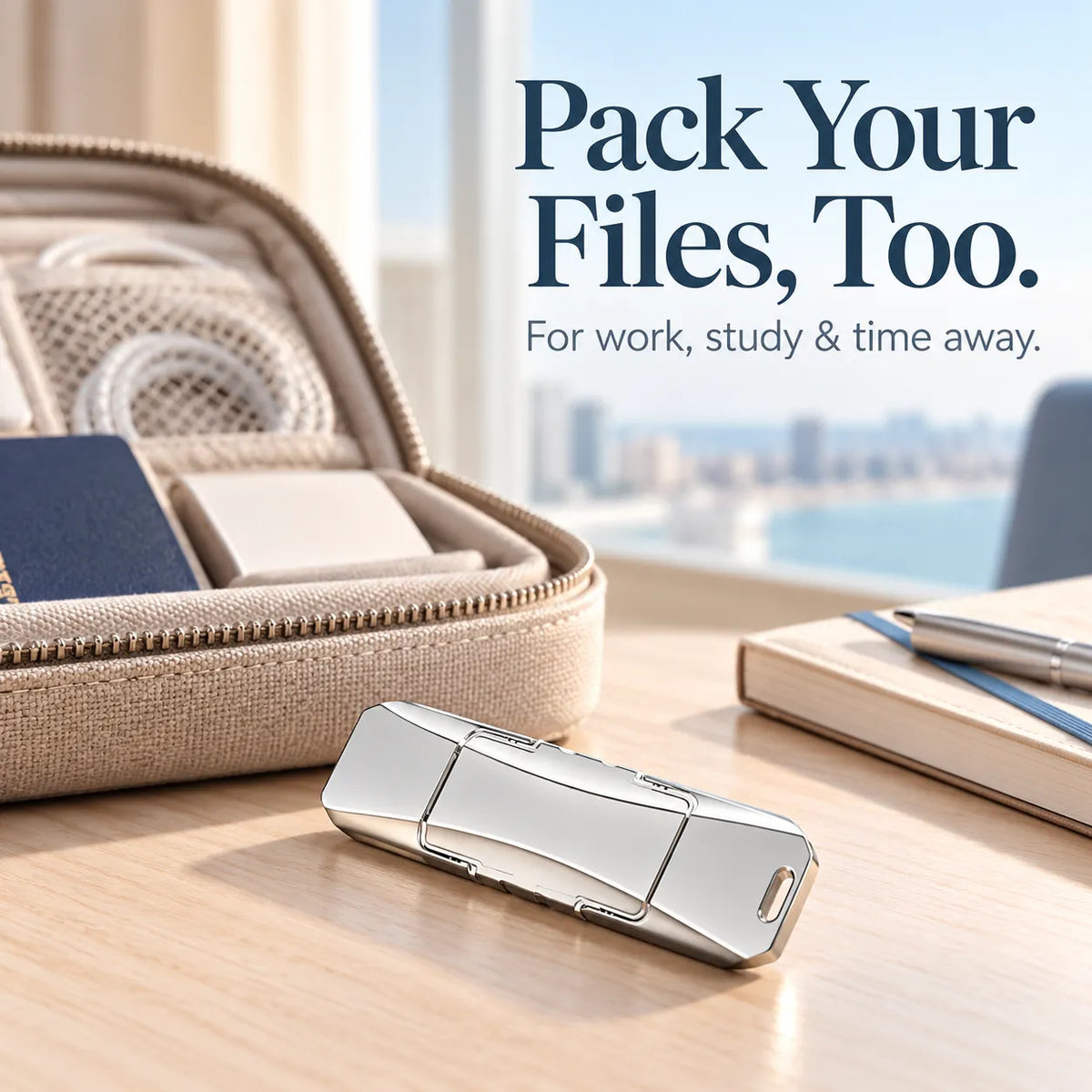
A silver finish, swivel cover, and built-in attachment opening give this compact drive a tidy, practical form.

BEYOND YOUR DESK
A Small Addition to Your Packing List
Tuck it into your everyday organizer for the commute, campus, or a weekend away. Bring selected files without adding another bulky item.

Product at a Glance
- Product Type
- Portable USB flash drive
- Color & Design
- Silver finish with a swivel cover and attachment opening
- Main Connector
- USB-A
- Storage Capacity
- Refer to your selected product option.
- Adapters & Package Contents
- Refer to the contents listed for your selected option.
A Few Things to Know
Will it work with my phone or computer?
Check your device’s external-storage support, port, operating system, and supported drive formats. Phones and tablets may also require a compatible adapter or software.
Does it back up files automatically?
This page describes manually copying selected files. Do not assume automatic backup or synchronization.
Can I delete my original photos afterward?
Verify that the copied files open correctly first. Keep another independent backup of important photos before removing any originals.
How long will a transfer take?
Transfer time varies with file size, file count, the drive, your device, and any adapter used.
Are the other items in the photos included?
Phones, laptops, albums, and travel organizers are scene props. Check your selected option for the exact included items.
MAKE SPACE FOR A BETTER ROUTINE
Give Your Important Files a Place to Go
Choose the capacity and connection option that fits your setup, then start building your own file-saving routine.
 Choose Your Option ↑


FAQ
How long does shipping take?
Orders are processed within 2–3 business days. After dispatch, estimated transit time is 10–17 business days for U.S. orders and 11–18 business days for international orders. Transit time does not include processing time and may vary due to carrier or customs delays.
What is your return policy?
Eligible return requests may be submitted within 30 days after delivery. Items must meet the conditions stated in our Refund & Return Policy. Please contact us before sending any item back.
How can I track my order?
Once your order ships, you will receive a confirmation message with tracking information.
Is my payment information secure?
Yes. Our store uses SSL encryption and all payments are processed through secure, industry-standard payment gateways. We never store your card details.
How do I contact customer support?
Customer service is available Monday – Friday, 9:00 AM – 6:00 PM (EST). We respond within 24 business hours. Inquiries received over weekends or holidays will be handled on the next business day.