


⌚ Wi-Fi SOS Alert Bracelet for Seniors – Wearable Help Button with Family App Alerts 🤍
⌚ Wi-Fi SOS Alert Bracelet for Seniors – Wearable Help Button with Family App Alerts 🤍


Impossible de charger la disponibilité du service de retrait
-
Ordered
- - -
Order Ready
- - -
Delivered

⌚ Wi-Fi SOS Alert Bracelet for Seniors – Wearable Help Button with Family App Alerts 🤍
Wi-Fi SOS Alert Bracelet
A Little More Reassurance at Home
An easy-to-find SOS button on your wrist, with app alerts for connected family.

Your Phone Isn’t Always Within Reach
When your phone is across the room, keep your SOS alert button close.
A Clear Button. A Simple Purpose.
A contrasting red SOS button makes the alert control easy to spot.

From Your Wrist to an App Alert
Once configured, use compatible Wi-Fi to send an SOS app alert.

Keep Family in the Loop
Configure supported family access and agree on an alert response plan.

Your Day. Your Independence.
Read, relax, and enjoy time at home with your SOS button close.

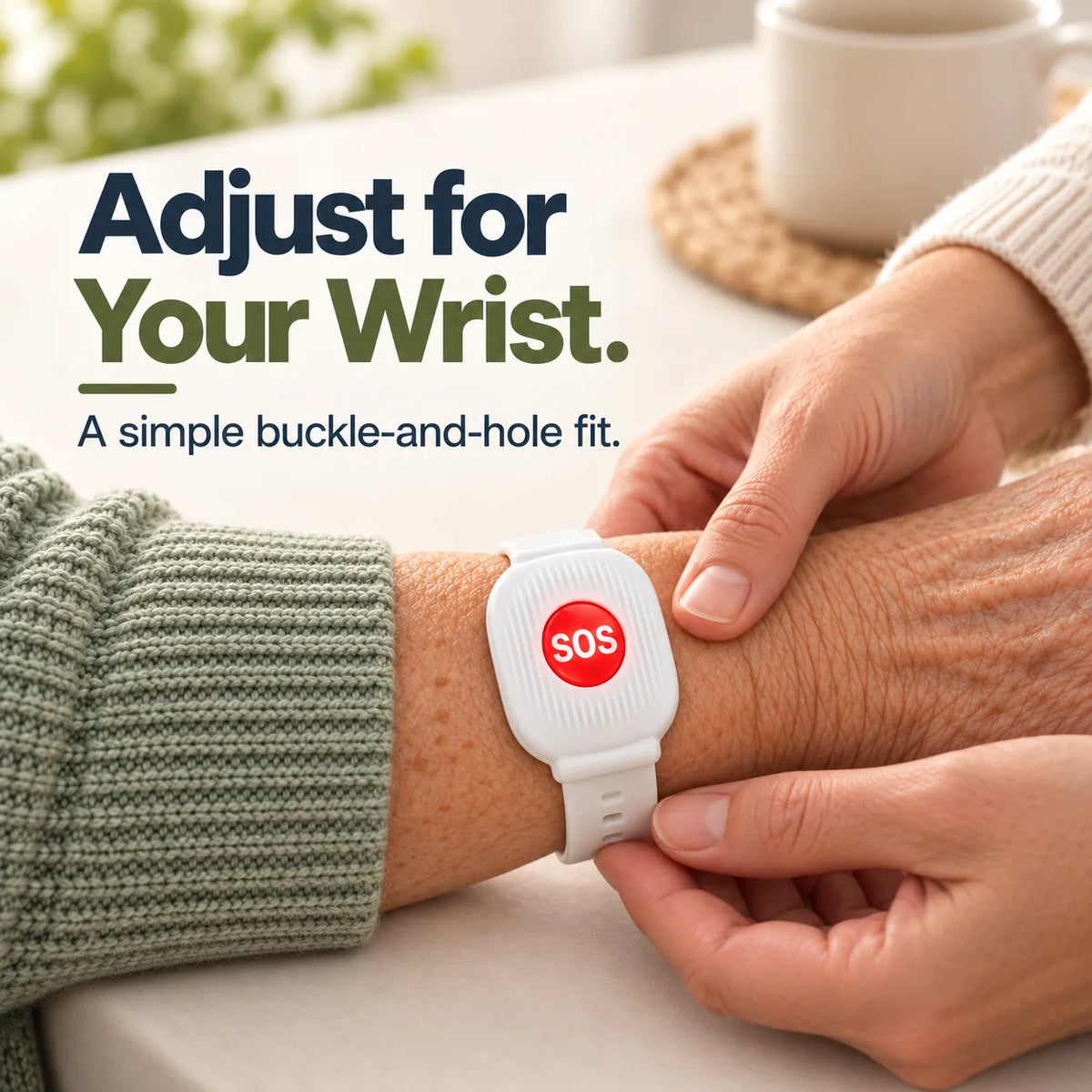
Adjust for Your Wrist
Multiple strap holes and a buckle let you adjust the fit.

Ready for Everyday Use
Check device power, connection, and notifications. Test alerts with family regularly.

Simple Setup
Set Up Together. Test Together.
01. Connect to Wi-Fi
Follow the included instructions to pair the bracelet with the supported app and compatible home Wi-Fi.
02. Set Up Family Alerts
Configure supported family access and enable the required app notifications on receiving phones.
03. Fit & Test
Adjust the wristband, trigger a test alert as instructed, and confirm receipt with your family.
A Thoughtful Way to Stay Connected
A wearable alert button for everyday life at home.

Helpful Answers
Frequently Asked Questions
Does it need Wi-Fi?
Yes. App alerts require compatible Wi-Fi and internet access. Follow the product’s network requirements during setup.
Will it work away from home?
Alerts depend on the configured Wi-Fi network. Do not rely on alert delivery outside its coverage area.
How does family receive alerts?
Through the supported app after setup. Receiving phones need internet access and notification permissions.
Does it detect falls or call 911?
The features described here are manually activated app alerts. Automatic fall detection and direct 911 calling are not included.
Can I adjust the wristband?
Yes. Use the adjustment holes and buckle. Check the wrist-size specifications before ordering.
What can affect alert delivery?
Device power, Wi-Fi coverage, internet access, and receiving-phone settings can affect delivery. Test regularly with your family.
Important use information
Alert receipt and a response are not guaranteed. This bracelet does not replace emergency services. In an emergency, call 911 when possible.
Keep Your SOS Button Close
Choose your bracelet and set it up with family.
View Purchase Options ↑


FAQ
How long does shipping take?
Orders are processed within 2–3 business days. After dispatch, estimated transit time is 10–17 business days for U.S. orders and 11–18 business days for international orders. Transit time does not include processing time and may vary due to carrier or customs delays.
What is your return policy?
Eligible return requests may be submitted within 30 days after delivery. Items must meet the conditions stated in our Refund & Return Policy. Please contact us before sending any item back.
How can I track my order?
Once your order ships, you will receive a confirmation message with tracking information.
Is my payment information secure?
Yes. Our store uses SSL encryption and all payments are processed through secure, industry-standard payment gateways. We never store your card details.
How do I contact customer support?
Customer service is available Monday – Friday, 9:00 AM – 6:00 PM (EST). We respond within 24 business hours. Inquiries received over weekends or holidays will be handled on the next business day.